

Blog & Resources.

Learn how to grow your Auckland business online. Tips, insights, and strategies from businesses we've helped.

Is Your Website Killing Your Business
Website Design

Is Your Website Killing Your Business? 5 Signs You Need a Rebuild

Most outdated websites actively repel customers. Learn the warning signs that your site is costing you money and what to do about it.

Read Article →
June 12, 2026
Why Your Competitors Websites Are Winning
Website Design

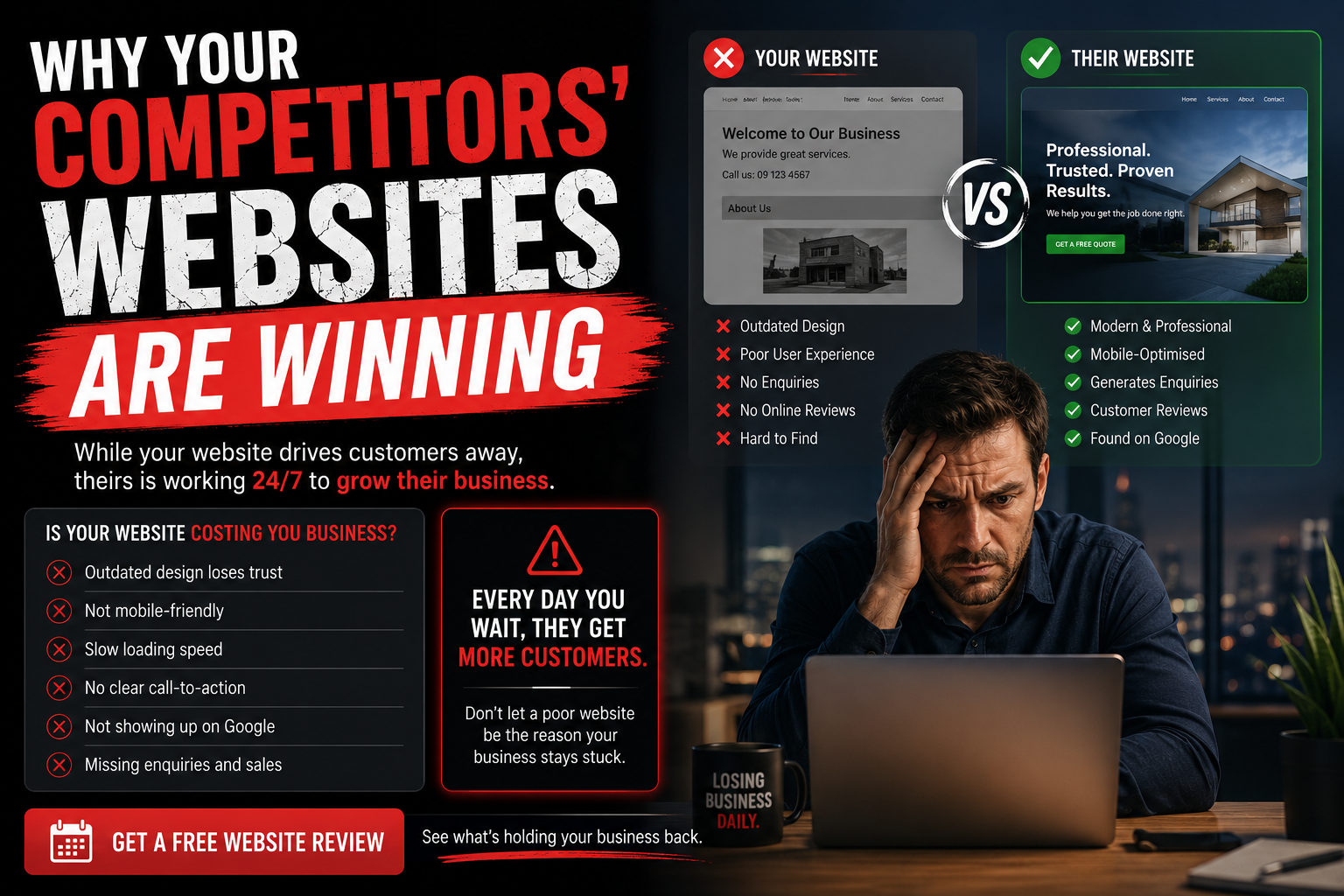
Why Your Competitors' Websites Are Winning (And Yours Isn't)

We analyzed 50 Auckland business websites. Here's exactly what the top 10% are doing differently to get more calls.

Read Article →
June 10, 2026
How Much Business Are You Losing
Business

How Much Business Are You Losing Right Now? (Calculator)

We show you the math. If you're not measuring lost revenue from your website, you're flying blind.

Read Article →
June 8, 2026
The 48-Hour Website Rebuild
Website Design

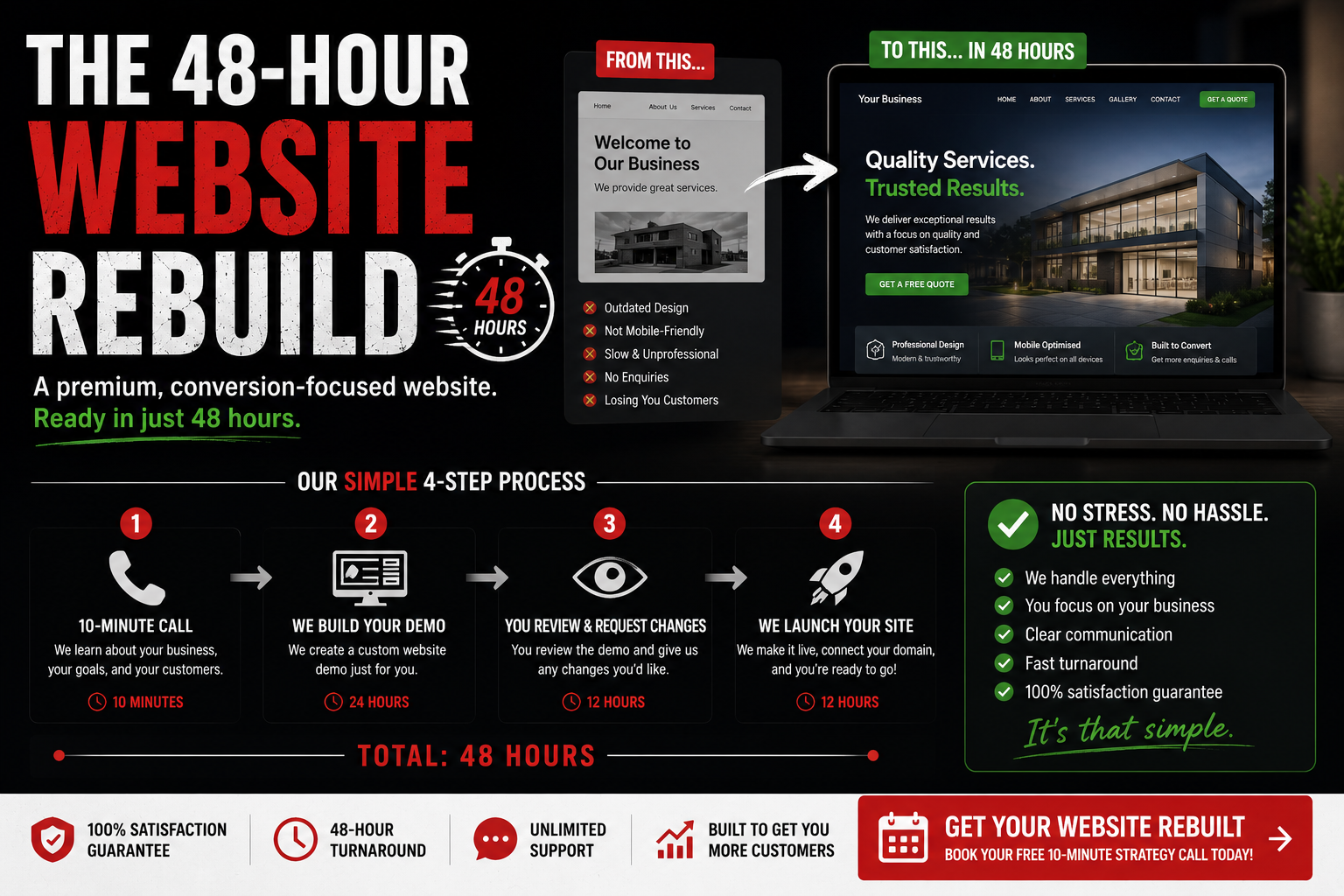
The 48-Hour Website Rebuild: Here's How It Works

Most agencies take 6-8 weeks. Here's exactly why we rebuild professional websites in just 48 hours.

Read Article →
June 5, 2026
← Back to Blog

Is Your Website Killing Your Business? 5 Signs You Need a Rebuild

Is Your Website Killing Your Business comparison

Your website is usually the first impression potential customers have of your business. Yet most businesses haven't updated theirs since 2015.

Here's the brutal truth: an outdated website doesn't just look bad. It actively repels customers. They visit, see a dated design, and leave within seconds.

How do you know if your website is hurting your business? Here are five clear warning signs.

1. Your Website Was Built Before 2018

If your website was designed more than 8 years ago, it's outdated. Design trends have shifted dramatically. Flat design, modern typography, and minimalist layouts have become standard. Websites from 2015 or earlier typically look heavy, cluttered, and unprofessional by today's standards.

Worse, older websites often run on outdated code and platforms that are slower, less secure, and harder to maintain. Customers can sense this.

Quick test: Open your website on your phone. If it doesn't look good, that's a problem. 60% of your customers browse on mobile.

2. It Doesn't Work Well on Mobile

Mobile-first design isn't optional anymore. It's essential.

Over 65% of internet traffic comes from mobile devices. If your website doesn't look perfect on phones, you're losing most of your traffic before they even see your services.

These aren't minor annoyances. They're deal-breakers. Customers will immediately leave and call your competitor instead.

3. It Takes Forever to Load

Speed matters. A lot.

Studies show that if a website takes more than 3 seconds to load, 40% of visitors will leave. By 5 seconds, you've lost most people.

Slow websites are usually caused by:

A fast website isn't a luxury. It's a requirement. Modern websites load in under 2 seconds.

4. There's No Clear Call-to-Action

Your website should guide visitors to one clear action.

What do you want them to do? Call you? Book an appointment? Request a quote?

If a visitor has to hunt for your phone number or email, they're gone. Many older websites hide contact information three pages deep or require form submissions that take 10 minutes.

Your call-to-action should be:

5. Your Competitors' Websites Look Professional and Yours Doesn't

If your competitors rebuilt their websites in the last 3 years and yours hasn't changed, you're at a disadvantage.

Customers compare. They visit three websites, and they book with the one that looks most professional and trustworthy.

A modern website signals that your business is thriving, professional, and worth doing business with. An outdated site signals the opposite.

What to Do Now

If you have 3 or more of these warning signs, your website is costing you money.

The good news? You can fix it fast. A professional rebuild can happen in 48 hours. You don't need a website that takes months to build or costs thousands in hidden fees.

You need a modern, fast website that works on mobile, loads instantly, and converts visitors into customers.

Ready to See What's Possible?

We rebuild websites in 48 hours. You see your new site before you pay a cent.

← Back to Blog

Why Your Competitors' Websites Are Winning (And Yours Isn't)

Why Your Competitors Websites Are Winning

We analyzed 50 Auckland business websites across industries. The difference between top performers and everyone else? It's not luck or expensive agencies. It's strategy.

Here's exactly what winning websites do differently.

1. They Grab Attention in 3 Seconds

You have three seconds before visitors decide to stay or leave. The best websites use:

Outdated websites use walls of text. Modern websites show. They don't tell.

2. They're Designed for Mobile First

Every winning website we analyzed looked perfect on phones first, then scaled up to desktop.

This matters because:

Your competitors who ignored mobile are losing business to those who didn't.

3. They Load in Under 2 Seconds

Fast websites convert 3x better than slow ones.

The top-performing websites we studied all:

A slow website is a dead website. Every second counts.

4. They Have ONE Clear Call-to-Action

Winning websites don't overwhelm visitors with options.

They focus on one goal: Get the visitor to take one action.

That call-to-action button is:

Websites with too many buttons confuse visitors. Confused visitors leave.

5. They Build Trust Immediately

The best websites prove they're trustworthy within seconds.

They do this with:

Trust is built in seconds or lost in seconds. There's no middle ground.

6. They Update Regularly

Websites that look fresh and current perform better than stale ones.

Top websites get regular updates:

A website that hasn't changed since 2018 feels dead. Customers can sense it.

The Competitive Reality

Your competitors who rebuilt their websites in the last 2 years have a massive advantage. They're getting more calls, more bookings, more inquiries.

And they're not special. They didn't spend $15,000 or wait 3 months. They just prioritized it.

The websites winning right now follow these principles. The websites losing don't.

Want Your Website to Win?

We'll show you what's possible. See your new site before you pay anything.

← Back to Blog

How Much Business Are You Losing Right Now? (Calculator)

How Much Business Are You Losing calculator

If you're not measuring it, you're not managing it.

Most business owners have no idea how much money their outdated website is costing them. They know it's not great, but they don't have a number.

Here's the framework to calculate your actual revenue loss.

The Formula

Monthly Revenue Lost = Monthly Website Visitors × Conversion Rate × Customer Value

Let's break this down:

1. How Many People Visit Your Website Monthly?

If you don't know, estimate conservatively. A local business with no serious SEO usually gets 50-200 monthly visitors. Check your Google Analytics (if you have it set up).

Example: 100 monthly visitors

2. What's Your Website's Conversion Rate?

This is the percentage of visitors who contact you or book.

Why the difference? Modern websites have clear calls-to-action, load fast, work on mobile, and build trust.

Example: Old site = 0.5% conversion

3. What's Your Average Customer Value?

This varies by industry:

Example: Dentist = $300 per patient

Now Calculate Your Loss

With Your Current Website:

100 visitors × 0.5% conversion × $300 = $150/month

That's 1 patient per month from your website.

With a Modern Website:

100 visitors × 3% conversion × $300 = $900/month

That's 9 patients per month from your website.

The Difference:

$900 - $150 = $750 more per month

That's $9,000 per year you're leaving on the table.

Pro tip: Most of our clients see traffic INCREASE by 2-3x just by having a modern website. So real conversions might be even higher than 3%.

But Wait—There's More

That's just the revenue from your current traffic. A modern website also:

So the real number could be 2-3x higher than our calculator shows.

Real Example

Dentist client:

His website rebuild cost $600 setup + $99/month maintenance. He broke even in the first week.

What Now?

If your calculation shows you're losing $500+ per month, a website rebuild pays for itself immediately.

If you're losing $5,000+ per month? That's a business problem disguised as a website problem.

Either way, a modern website is the solution.

Calculate Your Real Revenue Loss

Use the formula above with your actual numbers. Then let's talk about fixing it.

← Back to Blog

The 48-Hour Website Rebuild: Here's How It Works

The 48-Hour Website Rebuild process

Most agencies take 6-8 weeks to rebuild a website. We do it in 48 hours.

This isn't because we work nights and weekends (we don't). It's because we've built a process that works.

Here's exactly how it works.

Why Most Website Rebuilds Take Months

The typical agency workflow:

That's 10 weeks of uncertainty and cost.

Why We Do It in 48 Hours

We have a proven template system. Think of it like this:

You don't build a car from scratch. You use a platform that's already engineered, tested, and proven to work. You customize it for the customer.

Same with websites. We have:

The 48-Hour Process

Day 1: The Call (30 minutes)

We ask 10 questions:

That's it. No hour-long discovery calls. No spreadsheets. Just the essentials.

Day 1-2: We Build (4-6 hours of work)

We take your information and:

Day 2: You Review (Zero Risk)

We send you a live link to your custom website.

You get 24 hours to review it, share feedback, make changes. You don't pay until you're 100% happy.

No surprises. No hidden costs. You see exactly what you're getting.

Day 3: You Approve & Launch (Same Day)

If you love it (most people do), you approve. We:

Your website is live the same day you approve it.

Why This Works

You See It Before You Pay

Most website purchases are blind. You sign a contract and hope it works out.

With us, you see a fully functional, live demo before you commit to anything. Zero risk.

Speed Builds Momentum

A business owner who gets their website live in 48 hours stays excited and engaged. They start getting calls immediately. That energy carries forward.

Compare that to someone waiting 10 weeks. By week 5, they've moved on to other priorities.

Templates Aren't Generic

People worry that templates look generic. They don't.

We customize every element:

The template is the backbone. Everything else is custom.

What About Changes Later?

You own your website. You can:

We provide support and maintenance as part of your monthly fee. Need a change? One email and we fix it.

Real Example

Local plumber, Monday 2 PM: "My website is terrible and I need something better."

Monday 3 PM: 30-minute call to discuss needs

Tuesday 5 PM: We send live demo link

Wednesday 10 AM: He reviews, makes minor tweaks, approves

Wednesday 4 PM: Website is live, domain configured, email working

By Friday: He's gotten 3 calls from the website. Paid for itself already.

Next Steps

If you're ready to see what's possible for your business, let's start the process.

Book a 10-minute call. We'll ask those 10 questions. By tomorrow morning, your demo website will be ready.

No commitment. No risk. Just see what's possible.

Ready for Your 48-Hour Website?

Book a call today. See your custom demo by tomorrow morning.